Tuesday, December 6, 2011

photoshop task 2 reflection# 3

First  before I pick any picture I looked at the image and i saw  how did it look, how clearly the person inside it appears in the image. I just picked Zayn Malik as a character because he just came into my mind,  Zayn was a candidate for the seventh series of The X Factor.

Inside the cutout I used  the important images that I want like the face and the body of the character.  I removed the background  and other empty spaces inside the image which I don’t want. I used the eraser  tool to help me to smooth out the edges .

I fill the background with a contrasting color using the paint brush tool to fill my selection, I started with a large black brush, hardness 100 and colored in all of my element except for the outside the lines. After that, I switched to a smaller white brush hardness 50 and i colored in up to the lines. At the end I clicked on the pox to exit out of the mask mode. And I saw that the red disappeared.
.
I would use four words to trace around my image, x factor, one direction, singer and talented. I used x factor because he was a candidate there, one direction because it’s a British-Irish boy band. They finished third on the seventh series of The X Factor, singer because he is a singer and the word talented because it’s describing him.
Over all I did the Silhouette except for step 10 to 12 and also I hadn’t do yet the letter tracing.mvanderputten@schools.nyc.gov


Sunday, April 24, 2011

20)Macro

A macro is a rule or pattern that specifies how a certain input sequence (often a sequence ofcharacters) should be mapped to an output sequence (also often a sequence of characters) according to a defined procedure. 

19)Header Row

In Excel, the row header is the grayish - colored column containing the numbers used to identify each row in the worksheet. The row header is located to the left of column 1 in the worksheet. 

18)Grid

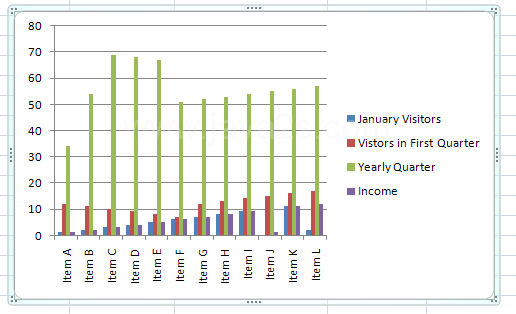
17)Graph

A visual representation of the data dispalyed in a spreadsheet. 

17)Graph

Freeware program for drawing graphs in a coordinate system.

16)Funtion Formula

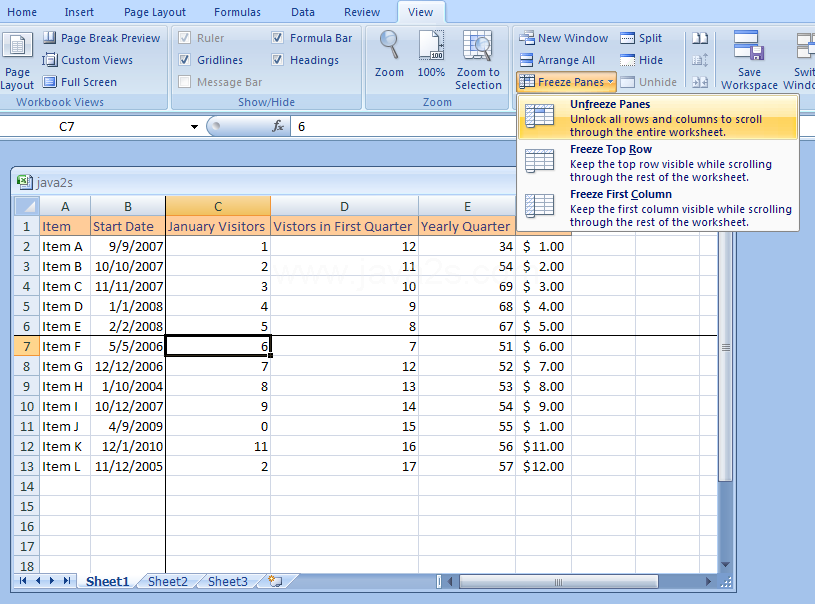
15)Freeze

lock or freeze rows or columns to keep them in view, or split panes in your worksheet that can scroll separately from each other

14)Formula

Formulas are entries that have an equation that calculates the value to display. 

13)Filter

 A program  that accepts a certain type of data as input, transforms it in some manner, and then outputs the transformed data. For example, a program that sorts names is a filter because it accepts the names in unsorted order, sorts them, and then outputs the sorted names

12)Embedded Chart

An embedded chart is a chart that is drawn on the same worksheet as the data.

Saturday, April 23, 2011

11)Complex Formulas

 complex formulas use multiple mathematical operators, and that use absolute and relative references.

10)Column Heading

A standard Windows control that can be used to provide interactive column titles for a list.

9)Column

the vertical divisions in a spreadsheet. named with a letter.

8)Chart

a way to organize information using the data in a spreadsheet program.

7)Cell Style

A cell style is a defined set of formatting characteristics, such as fonts and font sizes, number formats, cell borders, and cell shading. To prevent anyone from making changes to specific cells, you can also use a cell style that locks cells.

6)Cell Reference

The column number and the row letter of a cell 

5)Cell

the small rectangles in a spreadsheet. its where a row and column intersect.

4)AutoFill

Autofill is a function in some computer applications or programs, typically those containing forms, which fills in a field automatically.

3)Argument

a reference or value that is passed to a function, procedure, subroutine, command, or program